
Can you make a game without knowing how to code?
Yes. Visual game makers replace scripting with tools you configure rather than program: trigger volumes that fire when a player walks into them, node graphs that connect an event to an outcome, and property panels for behaviour.
Rumpus Engine is built this way from the ground up — there is no scripting language in it at all. It is free, runs in a browser tab, and needs no account, so the distance between "I have an idea" and "someone else is playing it" is measured in minutes.
What replaces code
Everything a script would normally do has a visual equivalent. These are the four you will actually use.
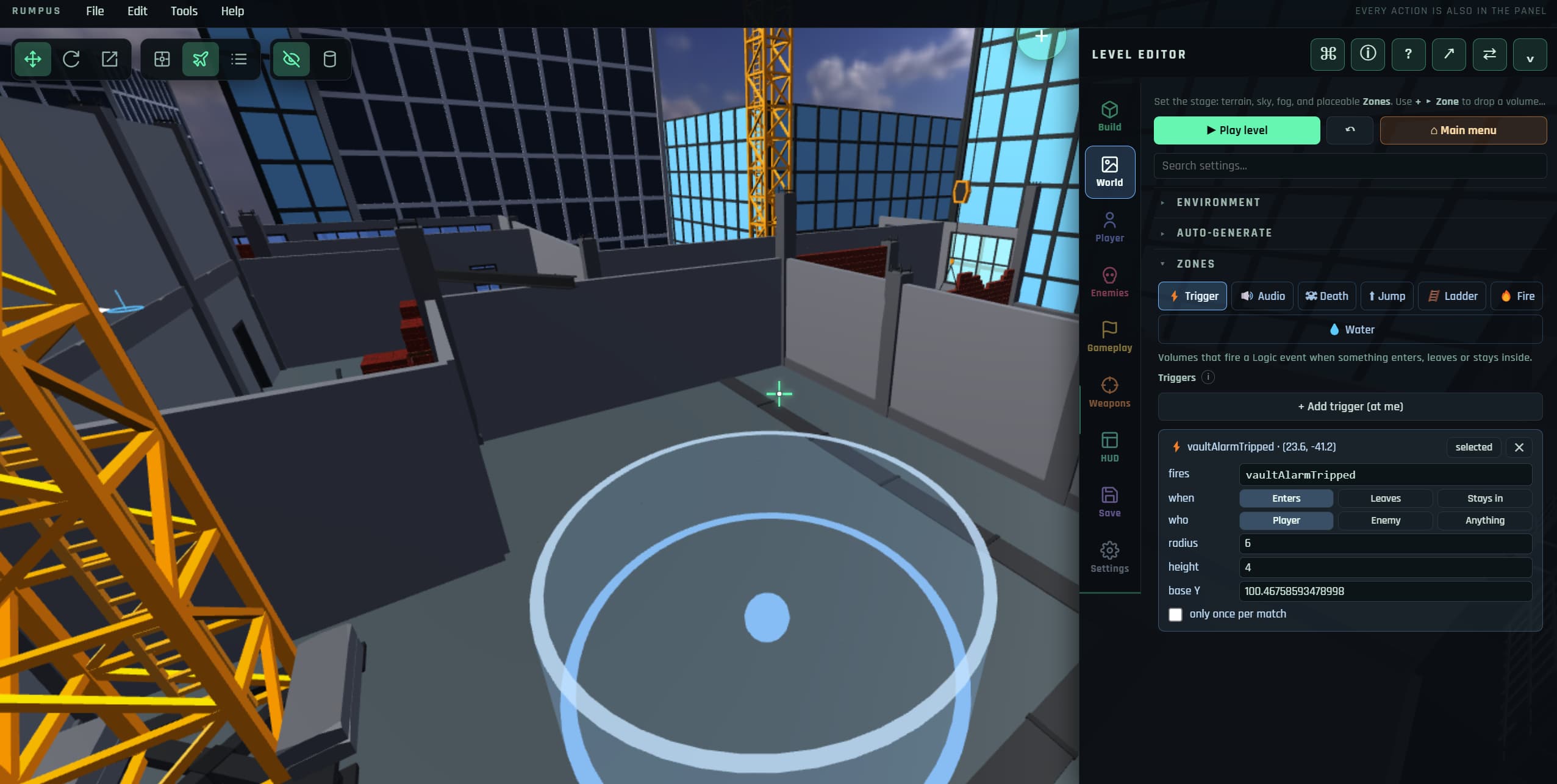
"When the player reaches here…"
Draw an invisible volume in the world and choose what happens when a player — or an enemy — enters, leaves, or stays in it. This covers most of what a beginner would otherwise script.
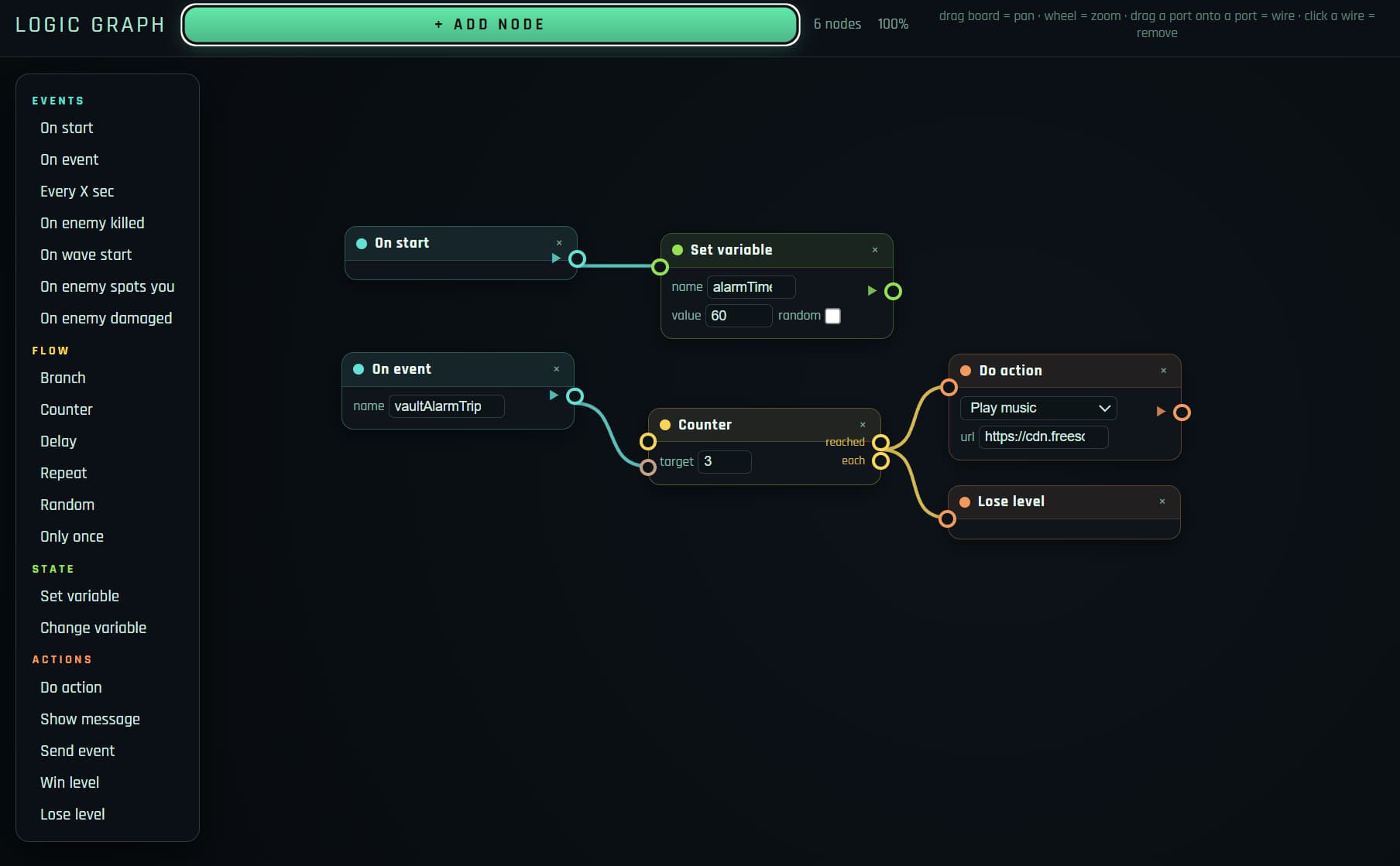
"…then do this, and this"
Drag nodes onto a canvas and connect them: an event on the left, outcomes on the right. Open a door, spawn a wave, play a sound, start a cutscene, change the objective.

Remembering things
Named values that persist — across a level, or across a whole campaign. Count how many switches are flipped, remember whether the player took the key, gate an ending on a choice.
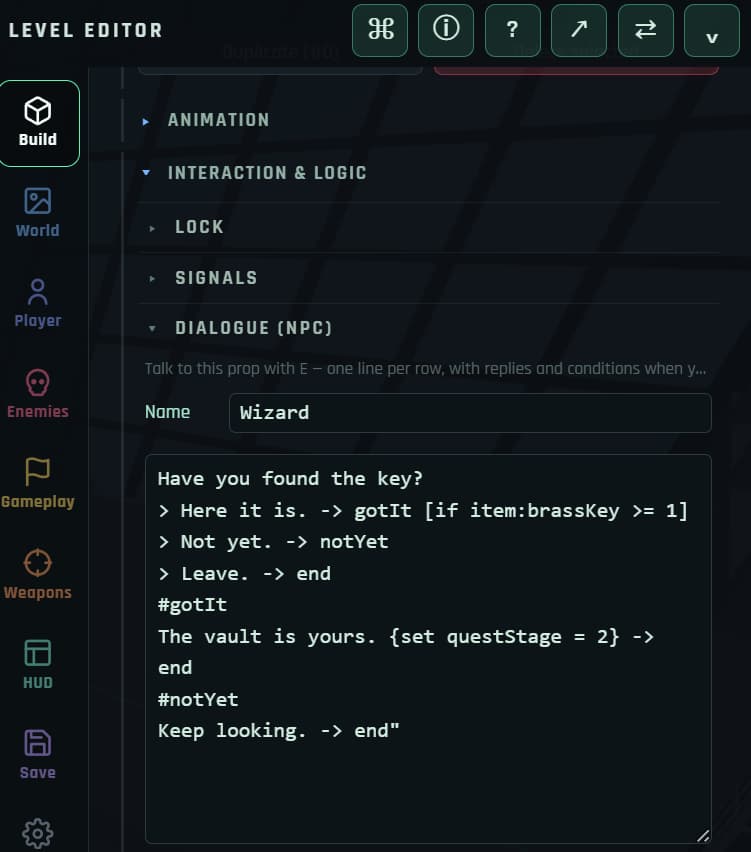
Conversations that branch
Write NPC dialogue as plain lines with reply options, jump between labelled sections, and set variables from a choice — the shape of a script, without the syntax.
Build a playable game in six steps
1. Open the editor
Go to rumpusengine.com and choose Build / edit level. There is nothing to install and no account to make. If you close the tab, your work is autosaved in the browser.
2. Build the world
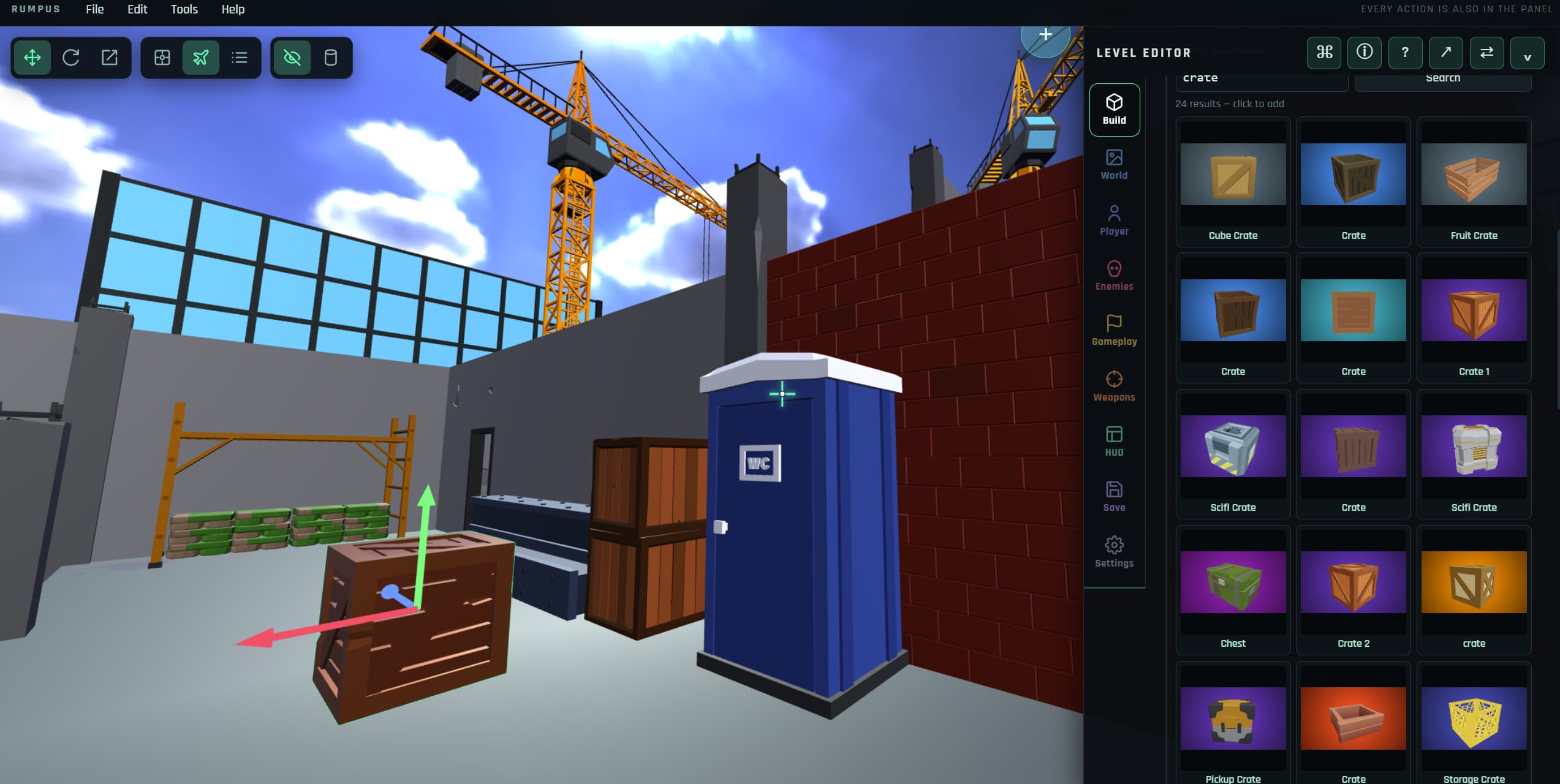
Sculpt terrain with a brush, drop in primitives (boxes, ramps, stairs, tubes), or search free 3D models from Poly Pizza and Sketchfab and place them without leaving the editor. Move, rotate and scale with a drag gizmo, or type exact numbers.
3. Choose how it plays
Pick a camera view — first person, third person, top-down or side-scrolling — and an objective. Eight are built in: eliminate, survival, extraction, defend, destroy, escort, puzzle and race. This one choice is the difference between an arena shooter and an escort mission.
4. Add behaviour, without code
Place enemy spawn markers and set each one's type, patrol route, detection range and which wave it appears on. Then wire the world: a trigger volume opens a gate, a pressure plate spawns an ambush, a conversation gives a key. None of this involves typing a line of logic.
5. Play it, right now
Press P to switch between editing and playing. There is no build step, no compile and no waiting — you are in the same session, so you can fix something and be back in the game two seconds later.
6. Share it
A whole level compresses into a URL, so sharing is sending a link — the person you send it to plays it in their browser with nothing to download. You can also export a file, or submit the level to the in-game community library.
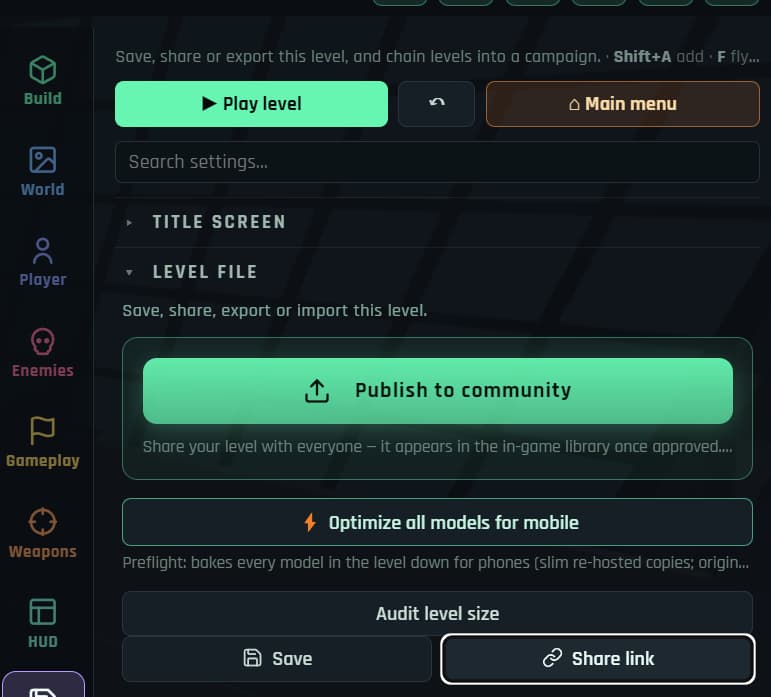
Want the detail? The field manual documents every tab, section and slider, and the editor ships with loadable example projects.
What "no code" does and does not mean
It is worth being straight about this, because a lot of no-code marketing is not.
- It does mean you never write, debug or deploy code — behaviour is configured through the editor.
- It does mean the visual look is unaffected: the same lighting, shadows, post-processing and physics run whether your level is simple or elaborate.
- It does not mean you skip game design. Pacing, difficulty and layout are still the hard part, and no tool does that for you.
- It does not mean unlimited flexibility. A visual system covers the paths it was built for extremely well; a truly unusual mechanic may not have a node for it.
The honest framing: visual authoring removes the barrier to entry, not the craft.
Questions people ask
What is the easiest game engine for a complete beginner?
The easiest engines are the ones with nothing to install and no language to learn. Rumpus Engine runs in a browser tab, needs no account, and is driven entirely by a visual editor. For 2D specifically, GDevelop and Construct use event sheets and are also beginner-friendly.
How long before I have something playable?
A simple arena with terrain, a few props, enemy spawns and an objective is realistically a first session. The engine ships with example projects you can load and pull apart, which is usually the fastest way in.
Can I use my own models and sounds?
Yes — import .glb models, textures and audio. Imported characters can be rigged and
animated in the built-in animation editor if they arrive without animations.
Will I outgrow it?
Possibly, and that is fine. If you reach the point of needing native console export or a custom engine feature, a desktop engine like Godot or Unity is the next step — and you will arrive there already knowing how levels, triggers, objectives and game feel work, which is the transferable part.
Make something today
Free, browser-based, no account. The first playable thing is closer than you think.
Open the editor